
MotionBricks: NVIDIA's Open Source Model Animates Characters and Robots in Real Time
Game animation usually means a state machine. Someone tags clips, builds blend spaces and wires up a transition for every pair of moves. Add a new action and you wire it to everything else. MotionBricks skips most of that. You tell a character where it needs to end up, and one neural network generates the motion to get there, live, while the game runs.
MotionBricks comes from NVIDIA Research, with co-authors at ETH Zürich, Simon Fraser University and the University of Texas at Austin. The paper is in ACM Transactions on Graphics and is being presented at SIGGRAPH 2026. The code is open source, the pretrained models are free to download, and the same model drives both a game character and a Unitree G1 humanoid robot.
Watch it in action
NVIDIA's project page has a 2 minute 40 second uncut demo recorded in Unreal Engine 5. A character walks, runs, vaults benches, picks up a sword, sits and falls, all in one take. NVIDIA says every frame is generated by the network, with no foot locking, no blending, no collision detection and no hand-made transitions.
The uncut MotionBricks demo in Unreal Engine 5. Video: NVIDIA. A 4K version (1.2 GB) is on the project page.
How it works
Each time it runs, MotionBricks looks at the character's four most recent poses and fills in the motion toward one to four target poses you give it. One target says where the character should end up. More targets also shape how it moves when it gets there. The model decides how long the move should take and produces about 0.6 to 1.9 seconds of motion at 30 frames per second.
Your game then feeds the last four poses back in as the starting point for the next move. Chain those together and you get continuous animation that never has to snap from one clip to another.
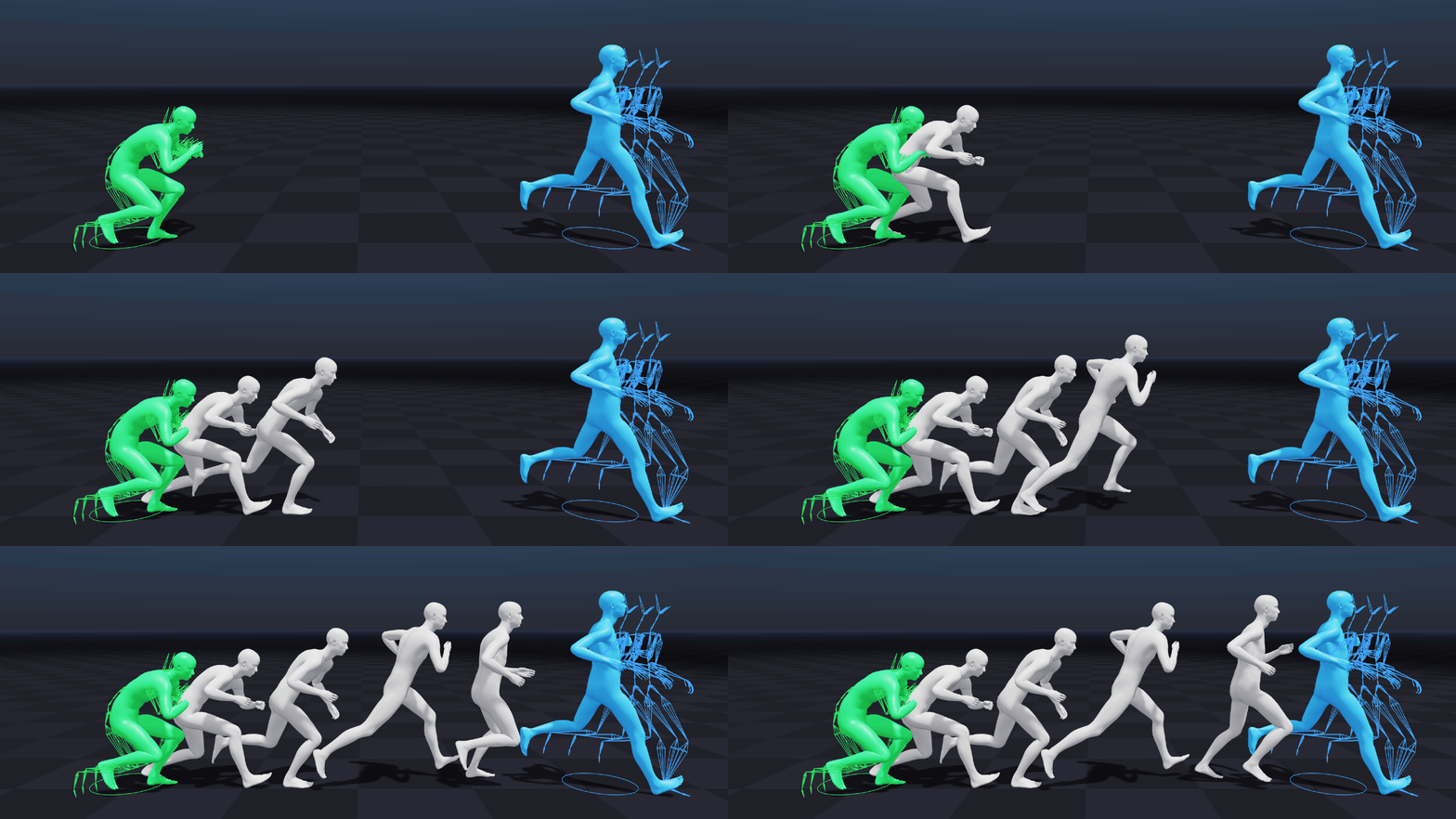
Green poses are what the character just did. Blue is where it needs to end up. The model fills in everything between. Image: NVIDIA, CC BY 4.0.
Under the hood, three modules split the work. A root module plans the path and timing, a pose model (a masked transformer) predicts the motion along that path, and a decoder turns it into smooth joint rotations. The human model is about 200 million parameters in total.
It is fast. NVIDIA reports 15,000 frames per second and 2 milliseconds of latency, with one model covering a training set of more than 350,000 professional motion capture clips.
Smart Primitives: actions you build like bricks
The "bricks" in the name are what NVIDIA calls Smart Primitives. A Smart Primitive describes an action as a few target poses placed around an object. A bench vault might be a takeoff pose, a hand-on-the-bench pose and a landing pose. Drop that brick into a level and a character can approach the bench from any angle, and the model works out the run-up, the contact and the follow-through. Run it twice and you get slightly different motion each time, so it doesn't look canned.
The demos use Smart Primitives for vaulting, jumping, ducking under obstacles, sitting, falling and picking up a sword. None of them needed retraining the model. You build new ones in an editor by placing poses, with no animation graph to wire.
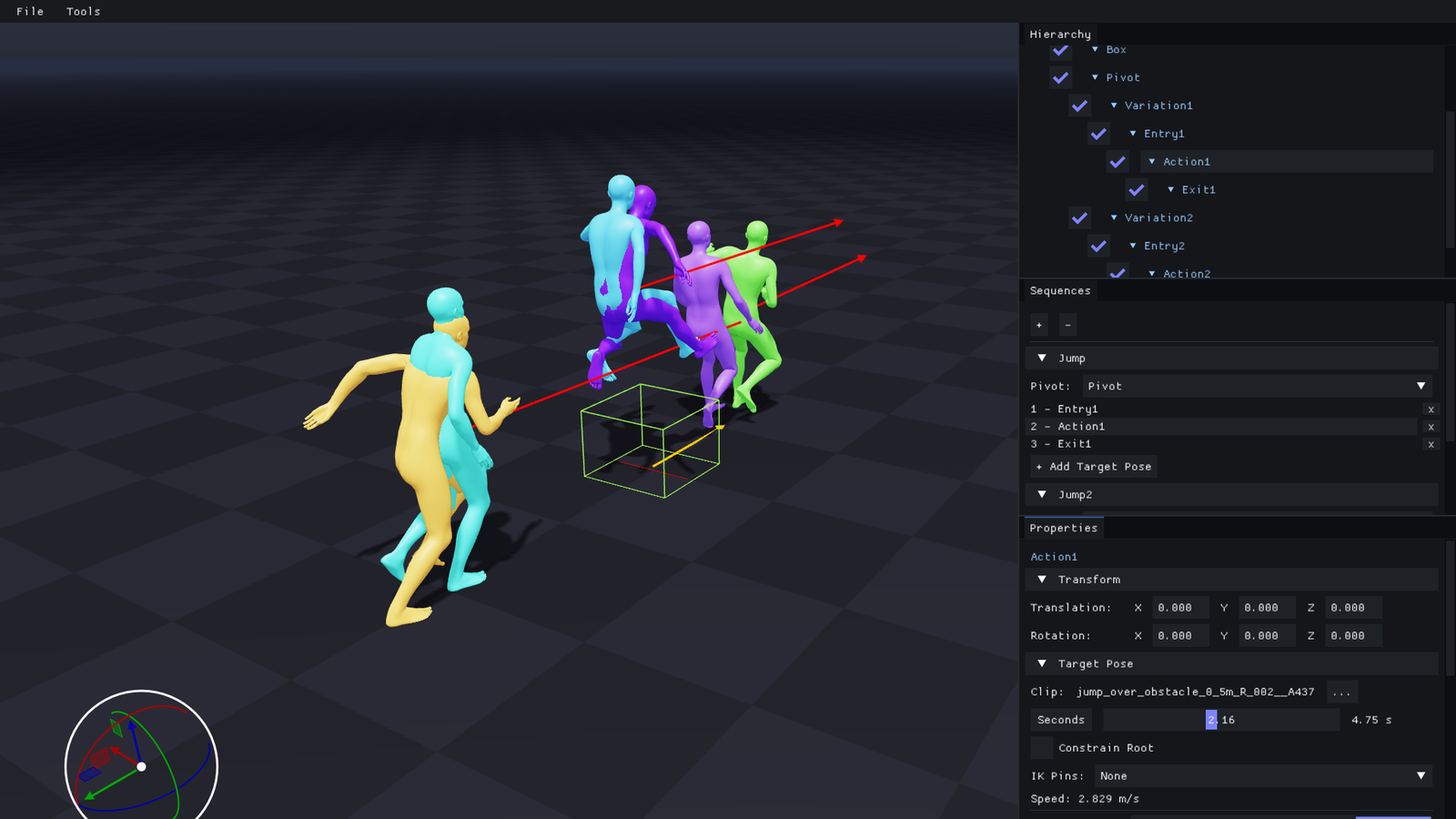
Building a jump in the Smart Primitive Editor. Each colored figure is one target pose. Image: NVIDIA, CC BY 4.0.
Smart locomotion
Movement works the same way. You set speed, direction and style, and MotionBricks blends between them as the player moves. It handles idle, walk, jog and run, forward movement and strafing, and crouch strafing. It also does stylized movement like zombie, injured leg, injured torso, skipping and combat, and it can switch between styles on the fly.
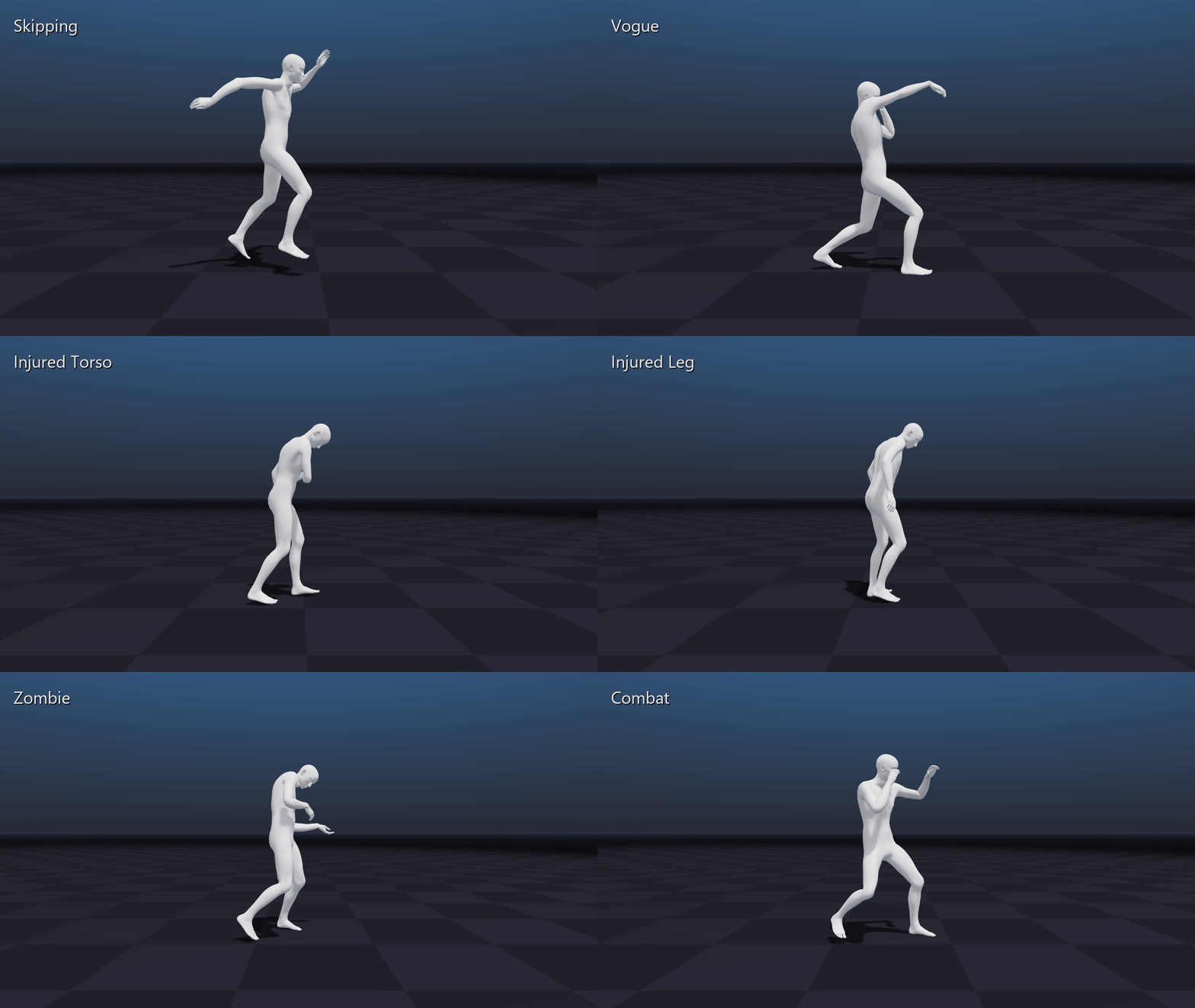
Switching locomotion styles on the fly in the Scene Preview demo. Image: NVIDIA, CC BY 4.0.
One model for characters and robots
The same network that animates a game character also animates the Unitree G1 humanoid robot. Only the skeleton layout changes, so one code path drives both. MotionBricks is now part of NVIDIA's GR00T Whole-Body Control project, where it generates motion for the robot side of the stack.
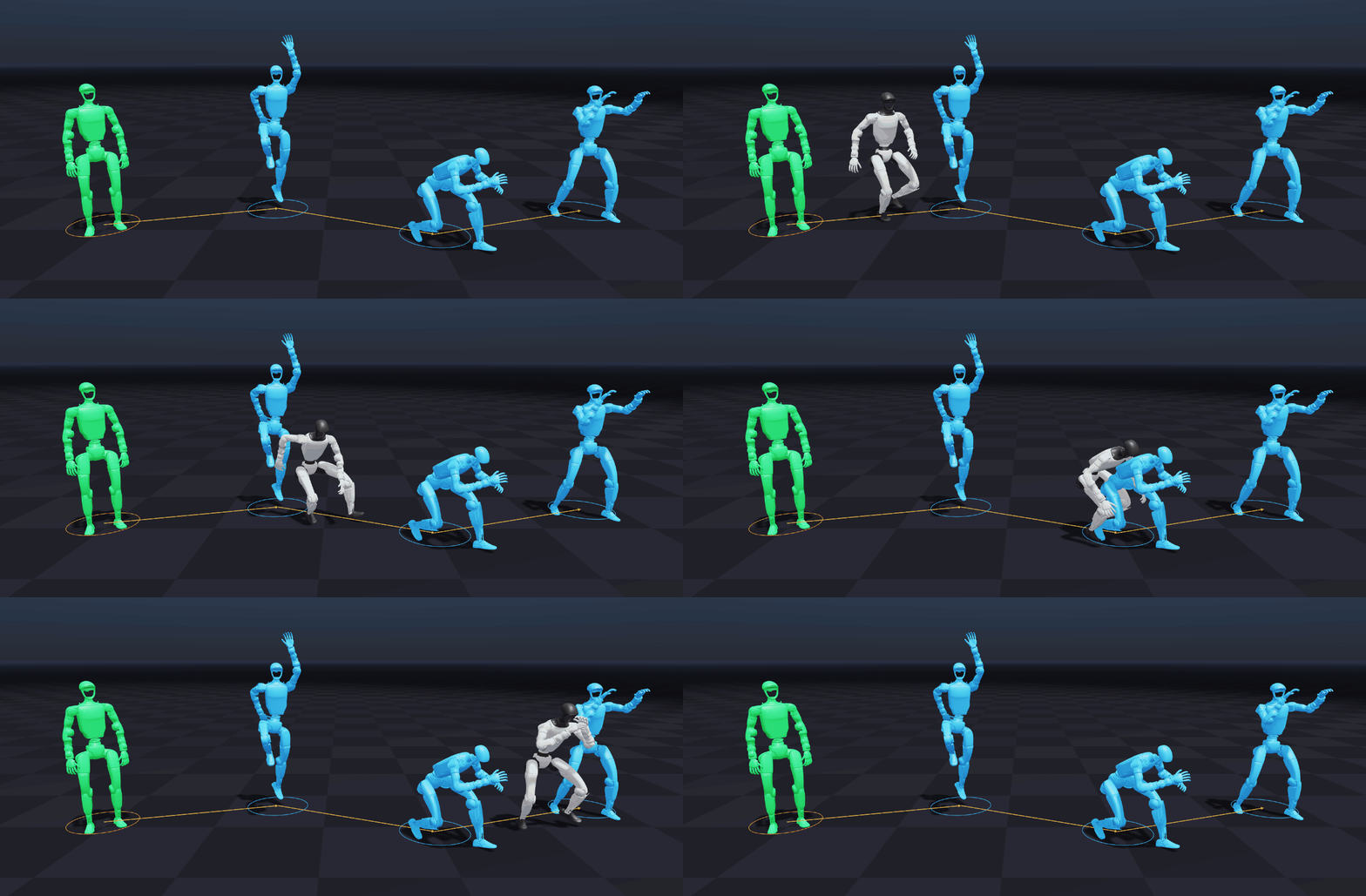
The Inbetweener demo running on the Unitree G1 robot model. Image: NVIDIA, CC BY 4.0.
What's in the release
MotionBricks has its own GitHub repository with around 1,600 stars. It includes:
- Pretrained models for the SOMA human body and the Unitree G1 robot. ONNX files ship in the repo, and the SafeTensors checkpoints are on Hugging Face.
- A Python runtime built on NVIDIA's Warp, Newton and TensorRT that chains generations into continuous motion.
- Inbetweener demo: place poses in a 3D view and generate motion through them.
- Scene Preview demo: drive a character around a gym level where it walks, runs, ducks, vaults and sits. It's a plain Python version of the Unreal Engine showcase.
- Smart Primitive Editor and Scene Editor for building your own interactions and levels.
- A standalone ONNX exporter and a guided tutorial that walks through all four apps.
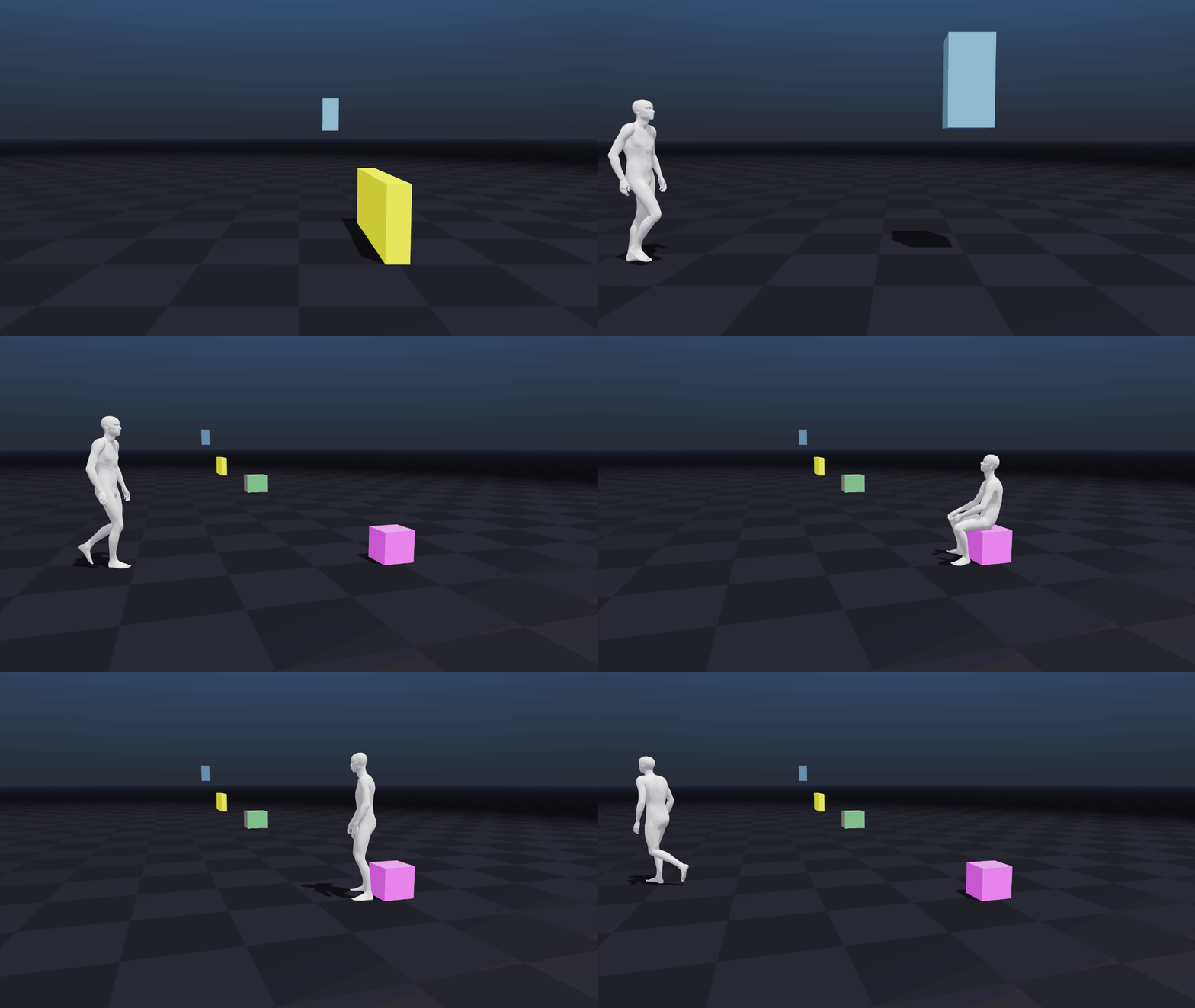
The Scene Preview demo, a Python version of the Unreal Engine showcase. Image: NVIDIA, CC BY 4.0.
The release is the model and a Python runtime, not an engine plugin. To use it in Unreal, Unity or Godot, you hook the runtime up to your engine and retarget from NVIDIA's SOMA skeleton to your character.
Licenses
- Code: Apache 2.0.
- Models: NVIDIA Open Model Agreement, which allows commercial use and redistribution of modified models under its terms.
- Sample motion clips: NVIDIA Sample Data Evaluation License. These are for testing only, so don't ship them in a game.
What you need
- An NVIDIA GPU. The runtime uses TensorRT.
- Windows or Linux on x86-64. NVIDIA tested the demos on a GeForce RTX 4090.
- Git LFS and the uv Python tool.
Setup is short: clone the repo, run git lfs pull and uv sync, then launch a demo with uv run python -m app.scene_preview. The first launch of each model builds a TensorRT plan, which takes a few minutes. After that it's cached and starts quickly.
Who should try it
If you build games with humanoid characters and you've ever lost a week to an animation state machine, MotionBricks is worth an afternoon with the Scene Preview demo. Place a few poses, build a vault in the editor, and watch the character figure out the rest.
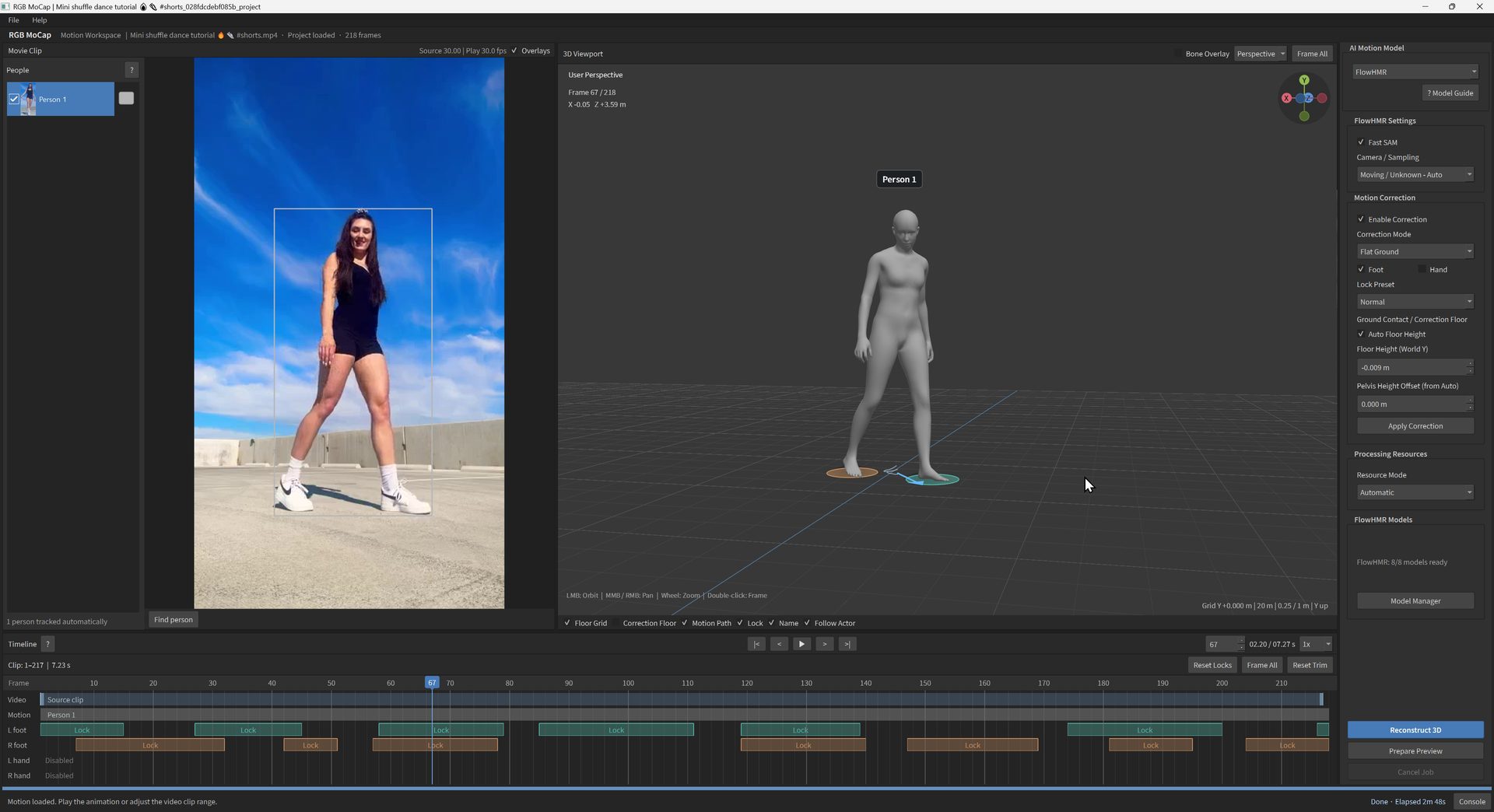
It pairs well with RGB MoCap, which we covered last week: record your own moves with RGB MoCap, then use MotionBricks to stitch them together live.
Get it on GitHub. If you make a game with it, submit it here so players can rate it.
No comments yet. Start the conversation.
Sign in to comment